


Wandfinish Pro – Archicad Add-On 🇨🇭
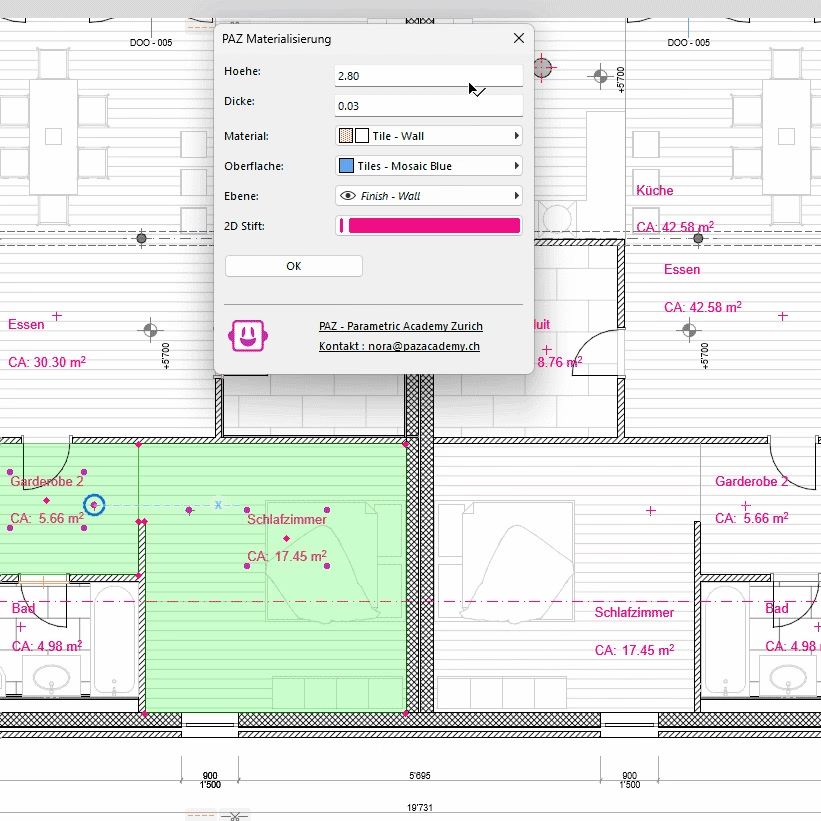
Automatisieren Sie Materialisierungspläne und BIM-Modelle mit einem Knopfdruck!
In der dynamischen Welt von Architektur und Design sind Effizienz und Flexibilität der Schlüssel zum Erfolg. Unsere speziell entwickelten Add-ons für Archicad27 und Archicad28 sind darauf ausgelegt, genau diese Aspekte in Ihrer täglichen Arbeit zu stärken. Die Integration dieser Add-ons in Ihre Archicad-Umgebung eröffnet Ihnen neue Möglichkeiten, eine Vielzahl von Arbeitsschritten effizient und effektiv zu gestalten.
Wir freuen uns, Ihnen unseren Archicad Wandfinish Pro Add-On zu präsentieren.
Alle unsere PAZ Archicad Add-Ons sind offiziell, da wir zertifizierte Graphisoft-Entwickler sind.
Was dieses Archicad-Add-On “Wandfinish Pro” kann:
Das PAZ Wandfinish Pro Add-On revolutioniert die Erstellung Ihrer Materialisierungspläne – schnell, präzise und effizient in 3D und 2D. Mit nur einem Klick erstellen Sie beeindruckende Ergebnisse, die Ihre Arbeit erleichtern und Ihre Projekte auf ein neues Level heben.
Die wichtigsten Funktionen auf einen Blick:
- Automatische Materialisierung: Das Add-On nutzt Ihre Raumstempel, um automatisch die passenden Finishes zu erstellen.
- Flexibilität und Kontrolle: Passen Sie Höhe, Dicke, Material, Oberfläche, Ebenen und vieles mehr nach Ihren Anforderungen an.
- Einfache Anpassung: Bereits erstellte Materialien können mit einem einzigen Klick geändert werden – schnell und unkompliziert.
Einfach und intuitiv zu integrieren:
Die Installation des Add-ons ist kinderleicht! In nur wenigen Schritten können Sie leistungsstarke Funktionen in Ihre bestehende Archicad-Umgebung integrieren – ohne zusätzliche Hardware oder komplizierte Einstellungen. Eine ausführliche Dokumentation begleitet Sie Schritt für Schritt durch den Prozess, sodass Sie sofort loslegen können.
CHF 875.00
WandfinishPro
Automatically apply wall finishes that wrap perfectly.
One click instead of hours of finish creation and adjustments.
How It Works
Three simple steps. Intelligent automation. Perfect finishes every time.
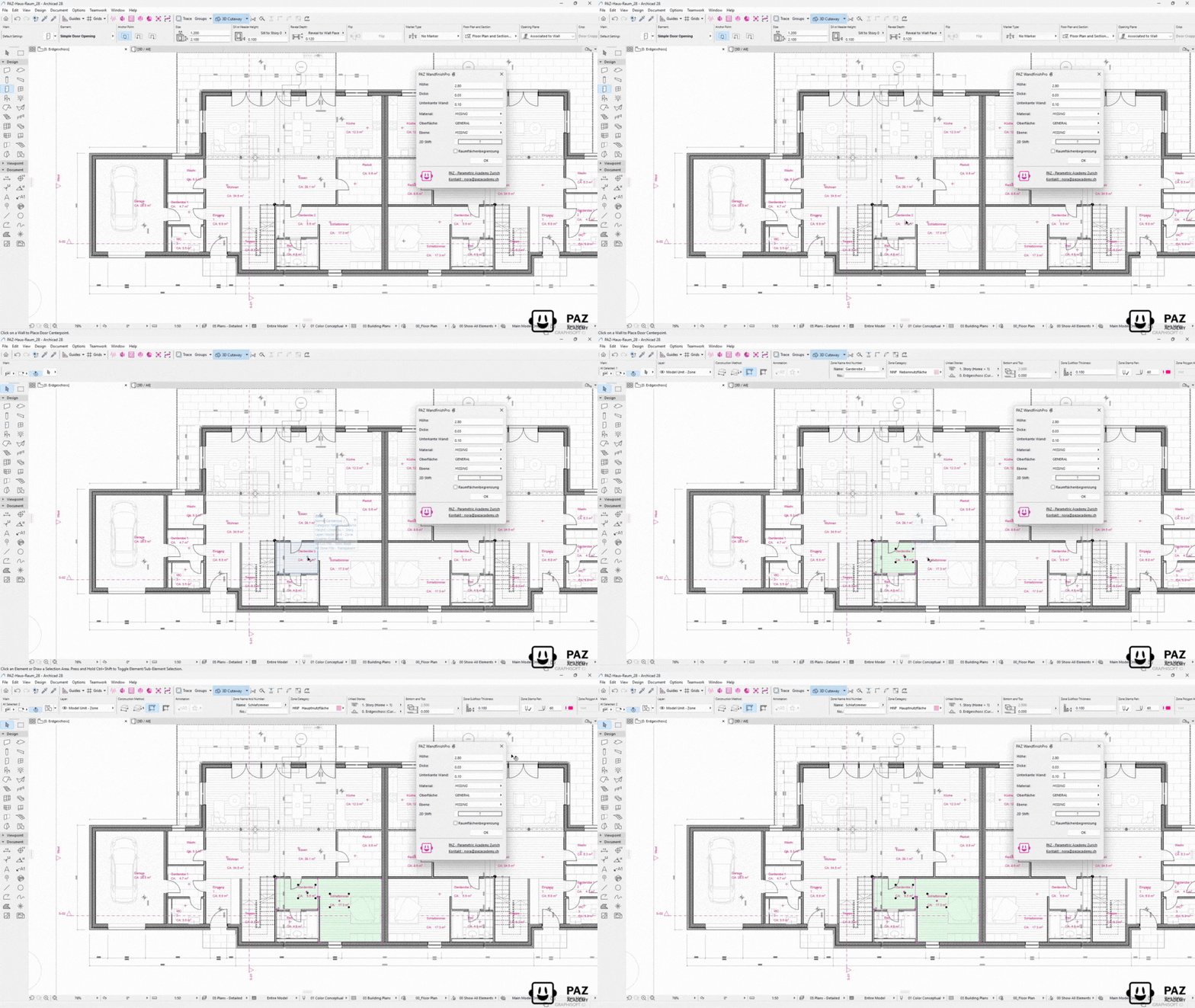
Select Zones
Choose rooms that need finish applications. Works with any wall type in your project.
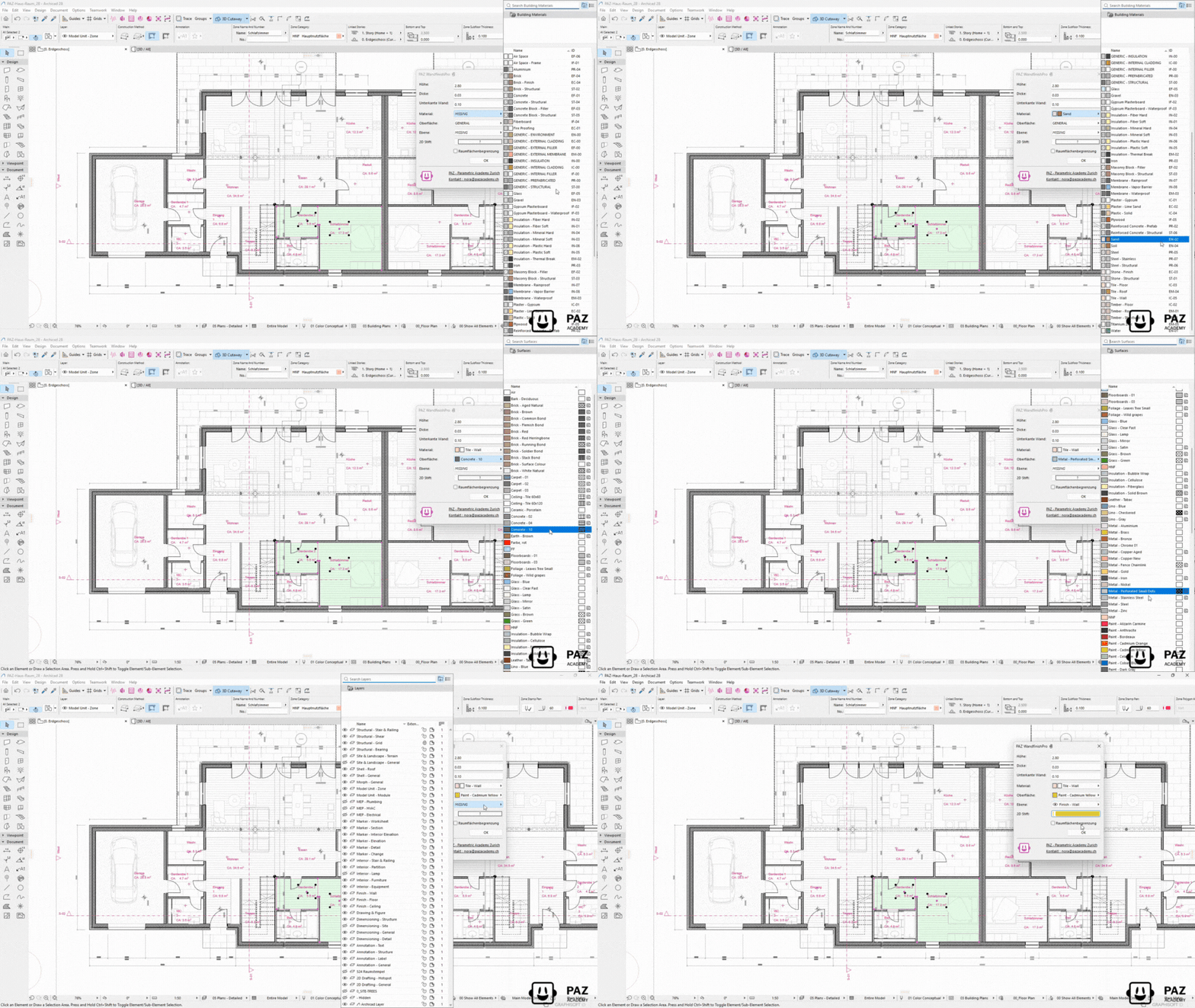
Define Finish Materials
Specify finish materials, thickness, height and application sides (interior/exterior). Set parameters once.
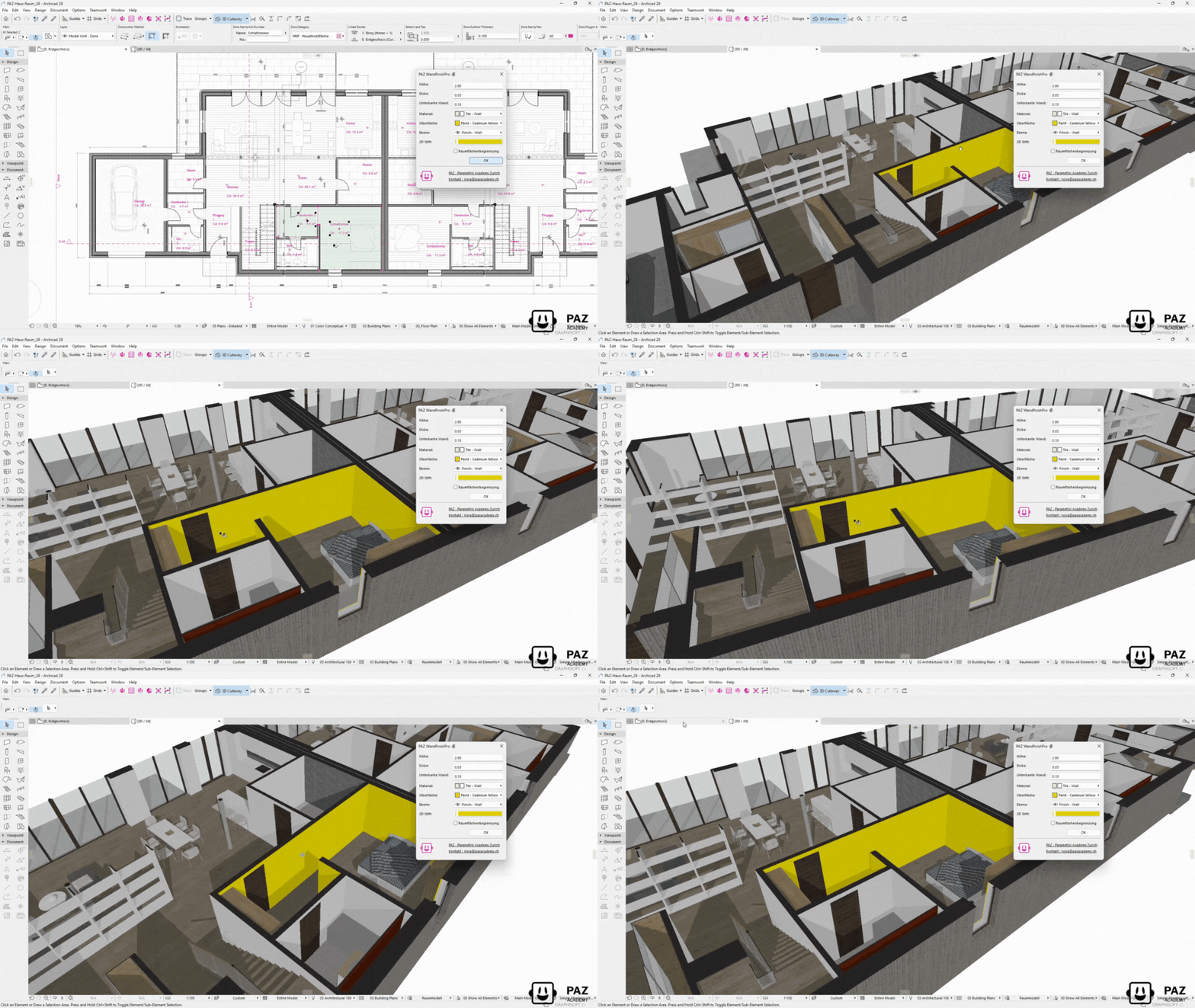
Apply Automatically
Click apply. Finishes wrap intelligently around all openings, columns, and wall ends. Update any changes with one click.
💡 Tip: Perfect for finish schedules, quantity takeoffs, and detailed documentation
Select walls → Define finish materials → Apply automatically.
Finishes wrap around openings, columns, and wall ends intelligently.
Perfect for interior finishes, cladding, and detailed documentation.
The Problem
Applying wall finishes in Archicad requires tedious manual work with wall end tools, surface overrides, and complex profiles. Finishes don’t automatically wrap around openings or columns, creating visual and conceptual inconsistencies.
The Reality
You spend hours placing and adjusting wall end objects, manually checking every opening and corner. When designs change, you repeat the entire process. Result: Wasted time, missed details, frustrated teams.
The Solution
PAZ WandfinishPro: Intelligent automated wall finish application that wraps perfectly around openings, columns, and wall ends. Apply finishes to multiple walls simultaneously with accurate BIM data for quantity takeoffs and create 2D-Plans.
What WandfinishPro Archicad Add-On can do?
BIM-Accurate & Documentation-Ready
Native Archicad Elements
All finishes are created as native Archicad elements with proper properties, classifications, and BIM data for schedules and quantity takeoffs.
Accurate Material Quantities
Precise area calculations for all finish materials. Export to schedules for cost estimation and procurement.
Professional Documentation
Create finish schedules, detail drawings, and materialisation plans directly from applied finishes. Perfect for construction documentation.
Pricing
Yearly subscription. Pay per license per year. Cancel anytime.
Premium
- Volumenstudie
- Raumstempelfix
- Gebäudelänge
- 1 shared floating license
- Setup video included
- Email support
- Renews yearly
Business
- Volumenstudie
- Raumstempelfix
- Gebäudelänge
- Fassadengenerator
- Kostenrechner nach SIA416
- WandfinishPro
- Terrain Cleaner
- 1 shared floating license
- Entire team can use it
- Access to Beta Releases
- Volume Discount Possible
- Support
- Renews yearly
Enterprise
- Volumenstudie
- Raumstempelfix
- Gebäudelänge
- Fassadengenerator
- Kostenrechner nach SIA416
- WandfinishPro
- Terrain Cleaner
- PAZGPT
- Custom Add-Ons
- Multiple floating licenses
- Onboarding call
- On-Site Consulting
- Custom setup support
- Optional customization
- Workshops Discounts
- Summer Camp Discounts
You need an older version? Contact us






























“The add-on has integrated well into my usual Archicad workflows.” Michael Baumann – Bachelard Wagner Architekten
“I find the add-on very useful for placing baseboards directly, as I often draw them with a small wall (10 cm high), which can now be automated.” Andri Maissen – BSS Architekten