


Terrain Cleaner – Archicad Add-On 🇨🇭

Besorge unser Add-On mit einem GRATIS 30 minuten Online-Workshop! ; )
Beschleunigen Sie Ihr Terrain um Geschwindigkeit zu gewinnen!
In der dynamischen Welt von Architektur und Design sind Effizienz und Flexibilität der Schlüssel zum Erfolg. Unsere speziell entwickelten Add-ons für Archicad sind darauf ausgelegt, genau diese Aspekte in Ihrer täglichen Arbeit zu stärken. Die Integration dieser Add-ons in Ihre Archicad-Umgebung eröffnet Ihnen neue Möglichkeiten, eine Vielzahl von Arbeitsschritten effizient und effektiv zu gestalten.
Wir freuen uns, Ihnen unseren Archicad Terrain Cleaner Add-On zu präsentieren.
Alle unsere PAZ Archicad Add-Ons sind offiziell, da wir zertifizierte Graphisoft-Entwickler sind.
Was dieses Archicad-Add-On “Terrain Cleaner” kann:
Das PAZ Terrain Cleaner reduziert Ihre Punktanzahl an Polylinien um Ihre Höhenlinien zu bereinigen.
Die wichtigsten Funktionen im Überblick:
• Abstandsabhängigkeit: Das Add-On verwendet Ihre Poylinien, um automatisch der Punktanzahl nach Abstand zu reduzieren
Einfach und intuitiv zu integrieren:
Die Installation des Add-ons ist kinderleicht! In nur wenigen Schritten können Sie leistungsstarke Funktionen in Ihre bestehende Archicad-Umgebung integrieren – ohne zusätzliche Hardware oder komplizierte Einstellungen. Eine ausführliche Dokumentation begleitet Sie Schritt für Schritt durch den Prozess, sodass Sie sofort loslegen können.
CHF 375.00
Terrain Cleaner
Clean and optimize terrain contour lines in Archicad.
Reduce thousands of points to the essential minimum.
How It Works
Three steps. Automatic optimization. Instant results.
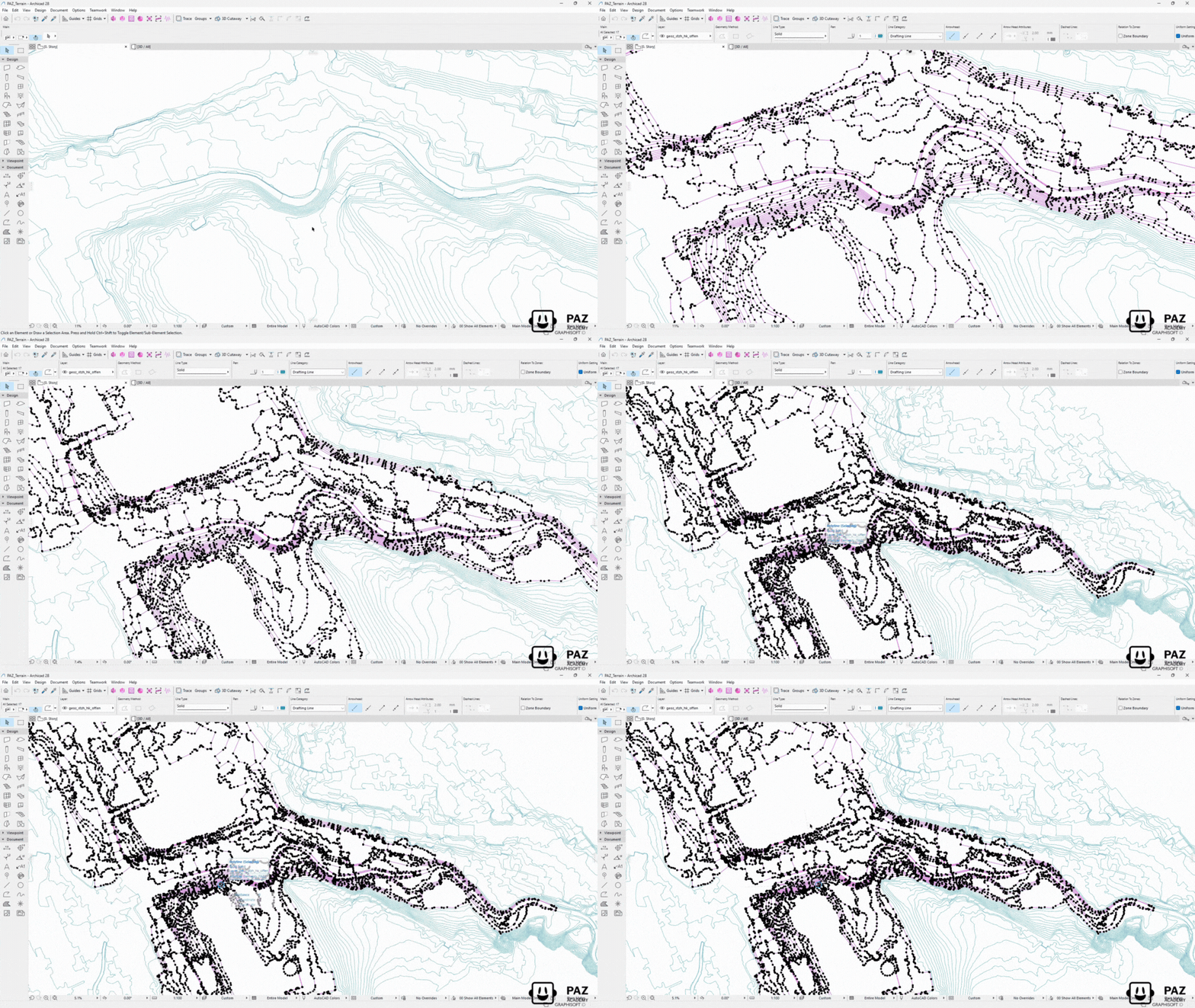
Select Terrain Polylines
Select the imported GIS contour polylines or any complex polylines that need optimization.
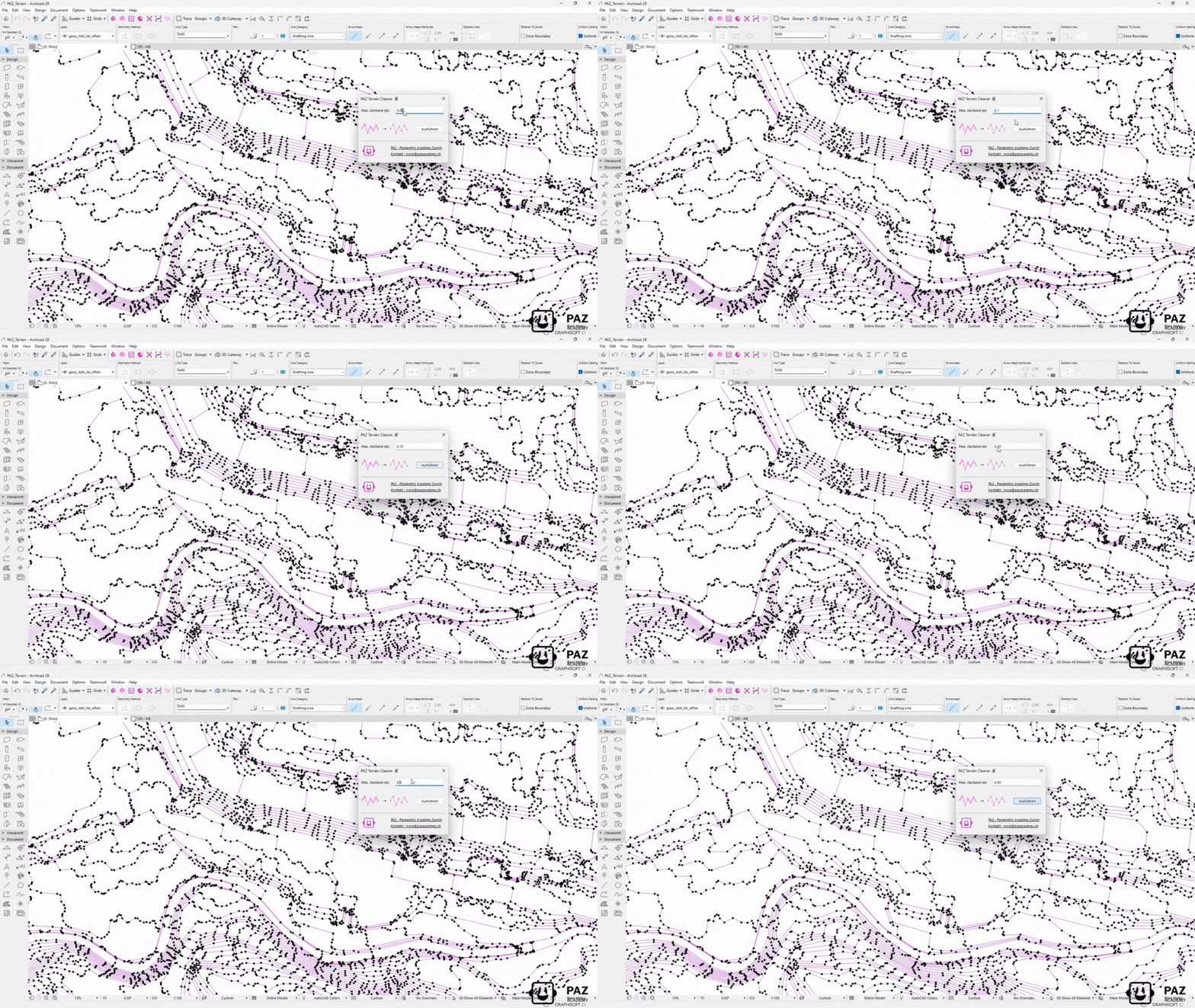
Define Cleaning Parameters
Set your desired tolerance level. The tool intelligently removes redundant points while preserving shape accuracy.
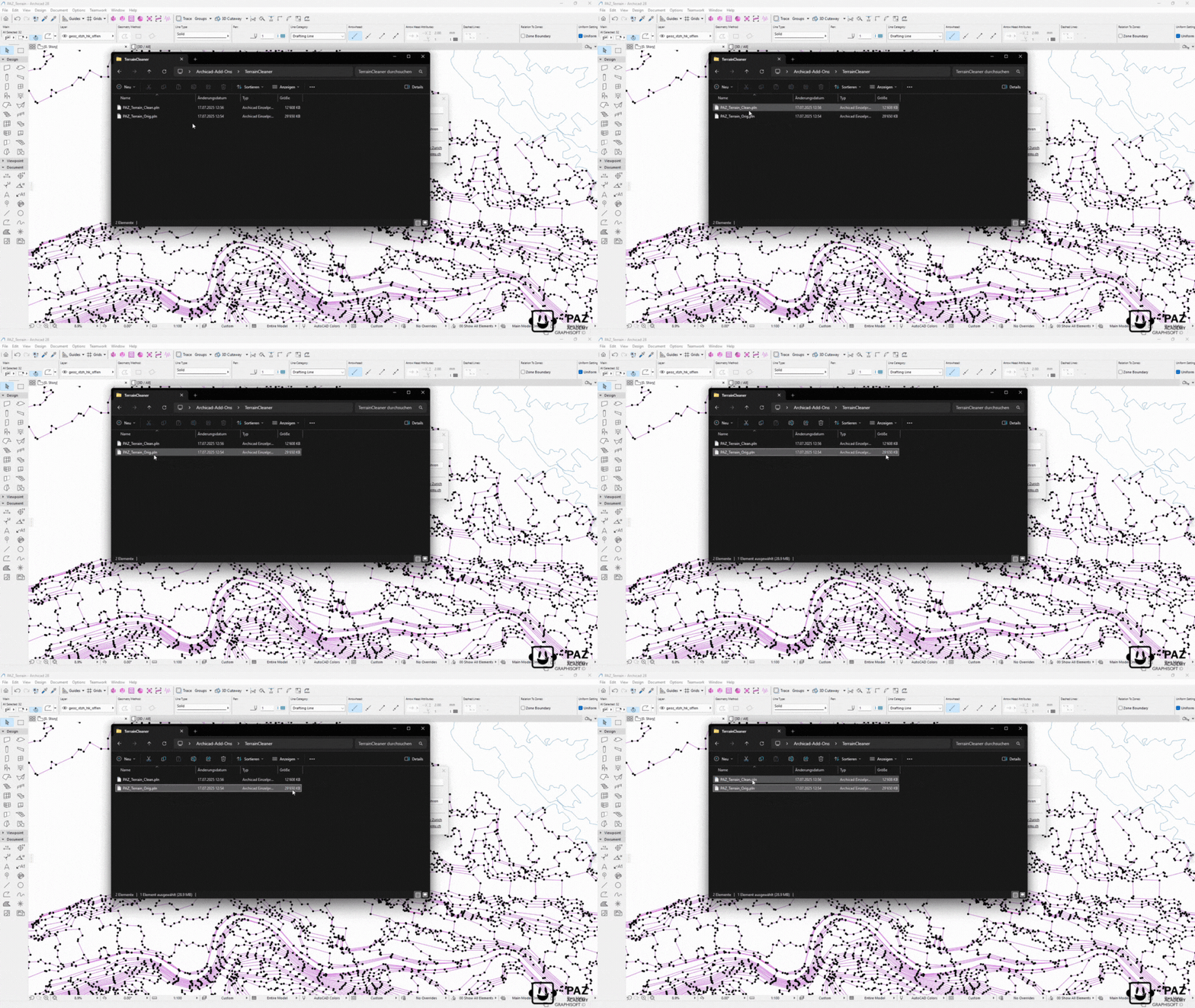
Execute & Enjoy Performance
Click clean and watch point counts drop dramatically. Your model runs faster instantly.
💡 Tip: Create your own workflow for maximum impact
Import GIS/survey data → Clean automatically → Keep model performance.
Drastically reduce polyline complexity while maintaining terrain accuracy.
Perfect for site analysis, terrain modeling, and performance optimization.
The Problem
Imported GIS and survey data contains thousands of unnecessary points in contour polylines. This bloats file size, slows down your model, and makes terrain creation and editing nearly impossible.
The Reality
You spend hours manually cleaning polylines or work with sluggish models. Every zoom, pan, or edit takes longer. Result: Frustrated teams, slower workflow, compromised model and Archicad performance.
The Solution
PAZ Terrain Cleaner: Intelligent point reduction that preserves terrain accuracy while dramatically improving model performance. Clean thousands of polylines in seconds, not hours.
What the Terrain Cleaner Archicad Add-On can do?
Performance-Optimized & Workflow-Friendly
Native Archicad Workflow
Works directly with Archicad polylines — no data export needed. Maintains all element properties, layers, and pen settings throughout the cleaning process.
Immediate Performance Boost
Faster navigation, quicker regeneration, and smoother views immediately after cleaning. Ideal for large-scale site plans and topographic surveys.
Team Collaboration
Cleaner terrain data means easier teamwork in Archicad. Reduced file conflicts, faster sync times, and improved Teamwork performance.
Pricing
Yearly subscription. Pay per license per year. Cancel anytime.
Premium
- Volumenstudie
- Raumstempelfix
- Gebäudelänge
- 1 shared floating license
- Setup video included
- Email support
- Renews yearly
Business
- Volumenstudie
- Raumstempelfix
- Gebäudelänge
- Fassadengenerator
- Kostenrechner nach SIA416
- WandfinishPro
- Terrain Cleaner
- 1 shared floating license
- Entire team can use it
- Access to Beta Releases
- Volume Discount Possible
- Support
- Renews yearly
Enterprise
- Volumenstudie
- Raumstempelfix
- Gebäudelänge
- Fassadengenerator
- Kostenrechner nach SIA416
- WandfinishPro
- Terrain Cleaner
- PAZGPT
- Custom Add-Ons
- Multiple floating licenses
- Onboarding call
- On-Site Consulting
- Custom setup support
- Optional customization
- Workshops Discounts
- Summer Camp Discounts
You need an older version? Contact us



























“This makes my models much lighter. A great start to any project.” Theresa V.
“We cleaned a massive survey import in minutes — zooming and editing finally feels smooth again.” Projektarchitekt – HRKS